Start here
Introduction
What Forge is, why it exists, and where to go next.
#What is Forge?
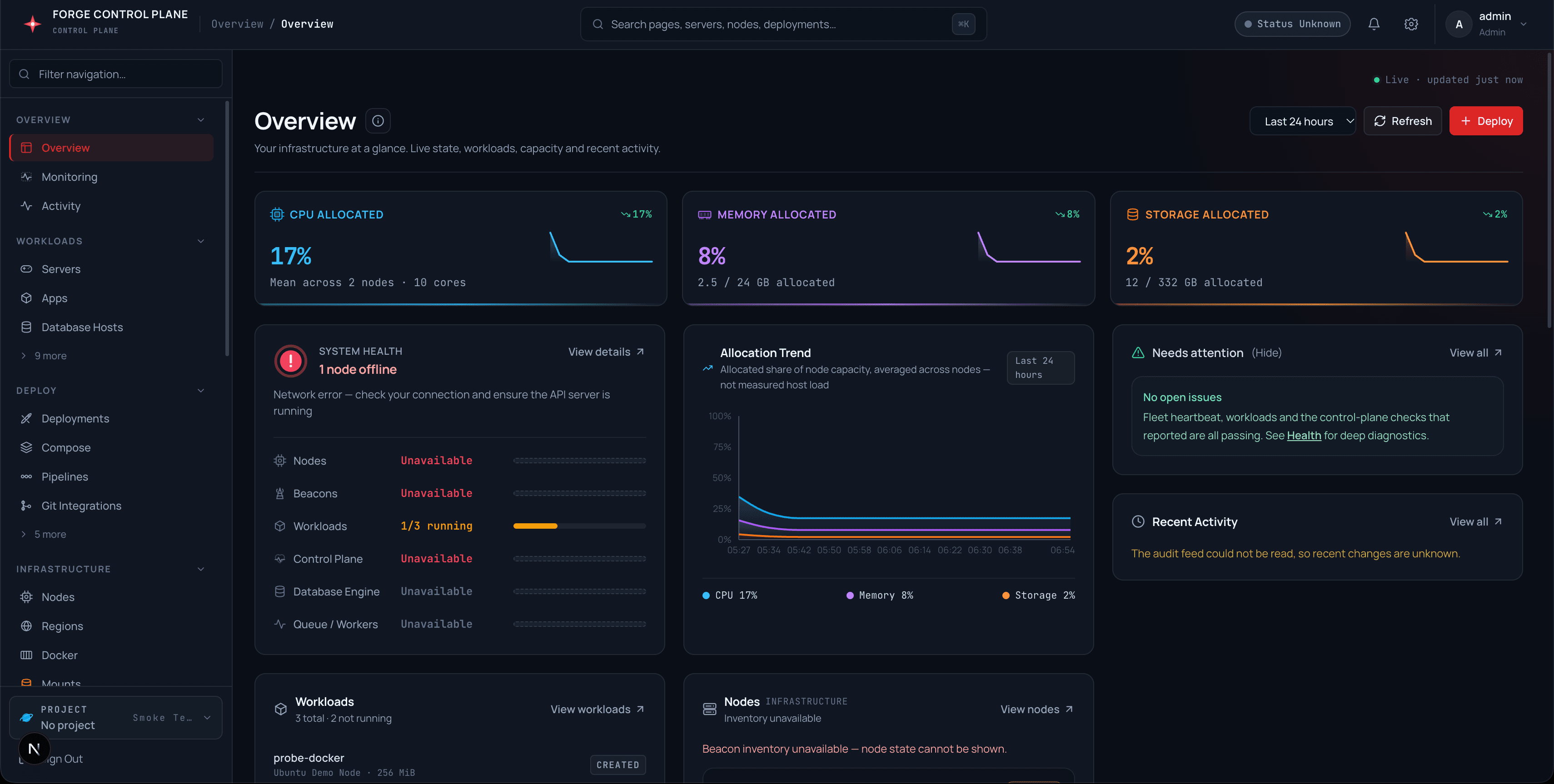
Forge is a self-hosted control plane for game servers, container applications, databases, and node operations. Forge Web is the browser dashboard. Forge API persists desired state, runs API-facing services, and coordinates operations. PostgreSQL is the durable source of truth. Beacon is the per-node execution agent: it receives authenticated work from Forge, drives the local Docker runtime, and reports observations back. The model is simple on purpose: Forge decides what should happen; Beacon makes it happen on a machine.
#Why Forge?
Most panels either hide state or invent it. Forge records desired state in PostgreSQL, executes through authenticated Beacon commands, and reports what the node actually said — never a locally assumed success. One panel covers game servers (nests, eggs, allocations), applications (images, Git, Compose), one-click databases, deployments, pipelines, domains, backups, and node fleets, instead of one tool per concern.
#Key features
1. Applications — Docker image, Git repository, and Compose workloads with desired vs observed state.
2. Game servers — nests, eggs, startup variables, TCP/UDP allocations, files, console, schedules, and backups.
3. Deployments — rolling, blue-green, canary, and recreate strategies with revisions, history, and rollback.
4. Pipelines — reusable multi-stage delivery definitions with manual, webhook, and scheduled triggers.
5. Service Catalog — one-click databases, caches, and queues with provisioning, attach links, and retention.
6. Git integrations — credentials, provider tokens, and repository sources driving auto-deploy webhooks.
7. Nodes and placement — Beacon enrollment, heartbeats, capacity-aware scoring with explainable placement.
8. Security — session cookies with CSRF binding, admin scopes, per-server RBAC, org tenancy, 2FA, API keys, and OAuth.
#Installation
For production, see Ubuntu production installation. For local development with seeded demo data, see Development stack. The API base path is /api/v1; interactive OpenAPI files are served at /api/docs outside production.
#Learning this manual
Start here explains the model. Installation gets a host running. Beacon Node Guide enrolls workload nodes. Workloads, Game servers & data, and Infrastructure explain how each area works. Security & access covers auth. Operations covers runbooks. Reference is the cheat sheet.