Workloads
How the service catalog works
One-click databases, caches, and queues: entries, provisioning, attach links, retention.
#Entries
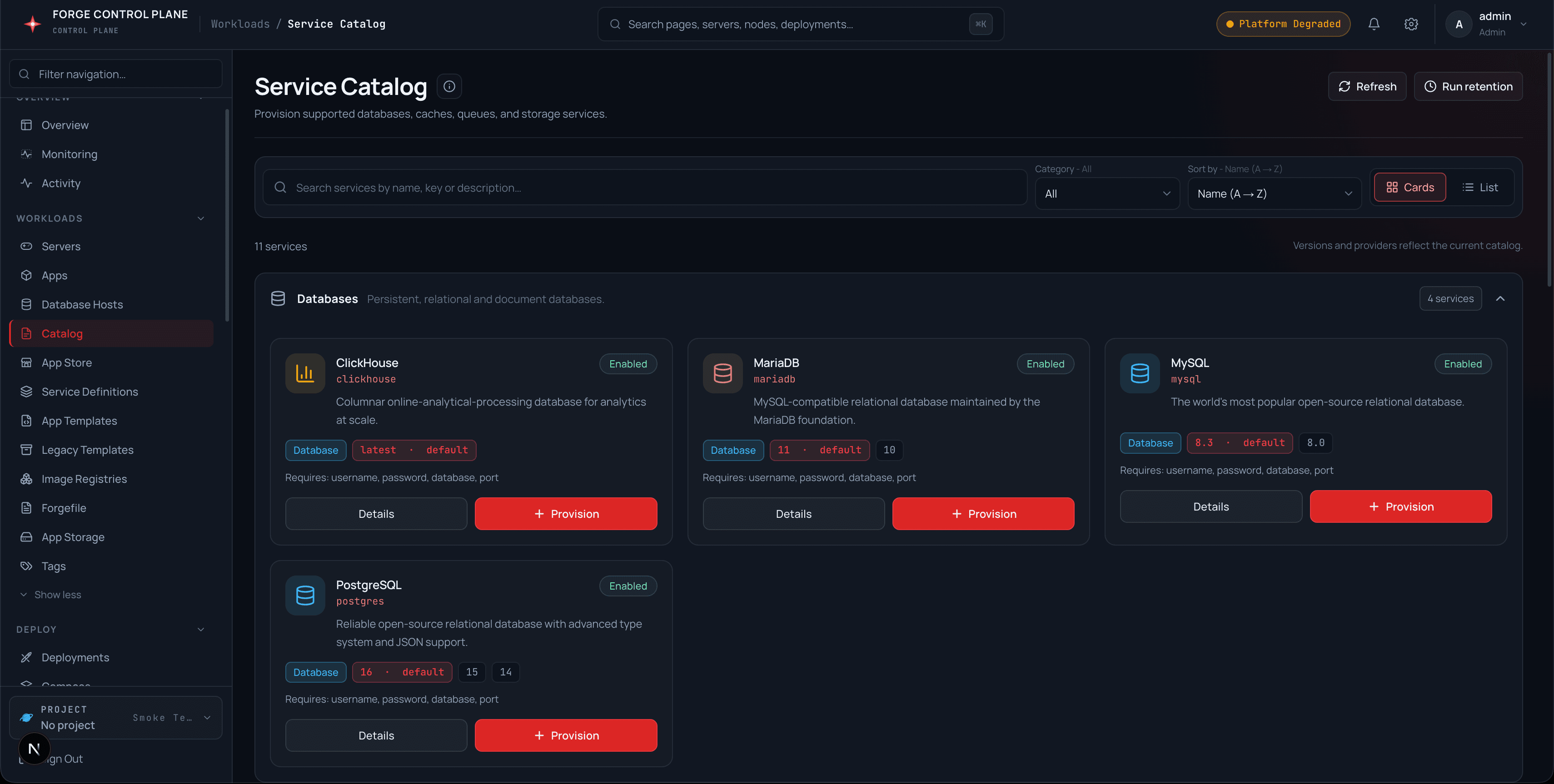
catalog_entries rows describe each provisionable kind: key, display name, category, versions with a default, icon, required inputs, and sort order. PostgreSQL, MySQL, MariaDB, Redis, and MongoDB provision through the managed-database path; Valkey, queues, NATS, Memcached, and ClickHouse use baked Compose templates with generated secrets.
#Provision flow
Provisioning validates the entry and version, inserts a catalog_instances row in provisioning state, provisions the runtime, then flips the row to running — or error, with the message kept on the row. Instances expose host, port, and a connection string. Every step that cannot complete returns an error; nothing reports success it did not perform.
One-click provisioning
GET  /catalog                  entries
GET  /catalog/:key               one entry
POST /admin/catalog/provision    {kind, version?, envId?, nodeId*, resources?}
POST /catalog/:key/instances/:id/attach {envId}   inject *_URL vars
GET  /catalog/backups/retention  PUT ...   retention policy
POST /catalog/backups/retention/run run now#Attach and retention
Attaching an instance writes the right connection variable for its kind (DATABASE_URL, REDIS_URL, AMQP_URL, NATS_URL, and friends) into the target environment and records an idempotent attach link. An hourly worker prunes completed managed-database backups past the per-kind retention days while keeping the newest retention-max per database.